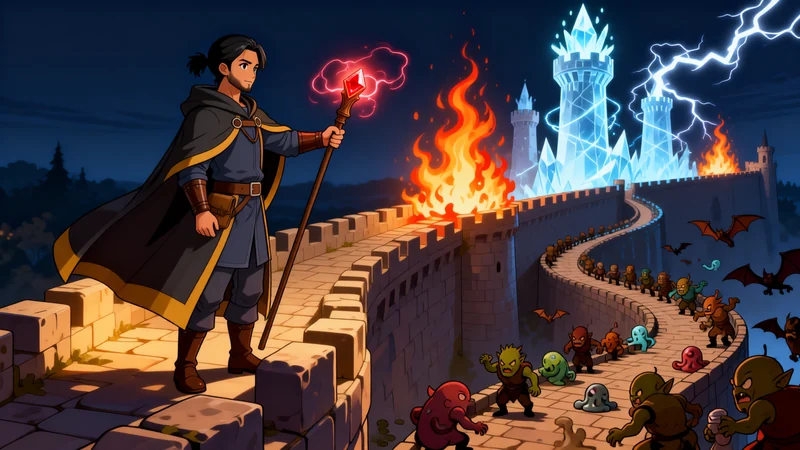
How to play
Tap a stone circle to open its ring of options and build a tower: crystal (one target, long range), fire (area damage, cannot hit flyers or ghosts), frost (slows) or lightning (jumps between enemies). Tap an option once to see what it does, and again to confirm.
Tap a tower to upgrade it. At level 3 you choose one of two specialisations: eight in total, each with its own trick, such as a lance that pierces a whole line, burning ground, frost that spreads or a storm that bounces eight times.
Tap the ground to walk your wizard there by the shortest path. Standing still, your wizard attacks the nearest monster on their own and levels up during the map.
Your wizard has two abilities with cooldowns: Burst damages and slows everything around them, and Inspire makes nearby towers fire faster and heals your wizard. Monsters do not stop for your wizard, but they strike when they pass close: watch for the red warning and step aside.
Before each wave, icons at the mouth of each road show what is coming and where. Call the next wave early for bonus gold.
Every monster that reaches the gate costs lives. Win with most of your lives for three stars, and spend stars on small permanent upgrades.
Tips
- Mix tower types: fire cannot touch bats or translucent ghosts, but crystal and lightning can.
- Keep your wizard a step away from the road: close enough to attack, far enough to dodge the blows.
- Place towers where two roads run side by side: they cover both.
- Hard mode is meant to be played with the permanent upgrades you earn in normal.
- The boss of the desert hides in its shell twice and calls slimes: save Burst for that moment.
Controls
- Touch or mouse: tap the ground to move your wizard, tap a stone circle or a tower to open its ring of options. Ability buttons and the next wave button are at the bottom.
- Moving around the map: on a phone the map starts zoomed in so every build spot is easy to tap. Slide one finger to move around, pinch or use the + and − buttons to zoom, and the whole-map button to see everything at once. Arrows on the edge show monsters coming in or the gate under attack out of view: tap one to go there. Double-tap your wizard’s portrait to centre the view on them, or turn on «follow your wizard». On a PC, the mouse wheel zooms and you can drag the map.
- Keyboard: arrows or WASD move your wizard, 1 and 2 use the abilities, N calls the next wave, X changes the speed, P or Escape pauses. + and − zoom, 0 shows the whole map, C centres the view on your wizard and F follows them. Tab goes through the build spots and Enter opens their options.
- Gamepad: left stick or D-pad to move, X and Y for the abilities, RB for the next wave, LT and RT to zoom, Start to pause.