
How to play
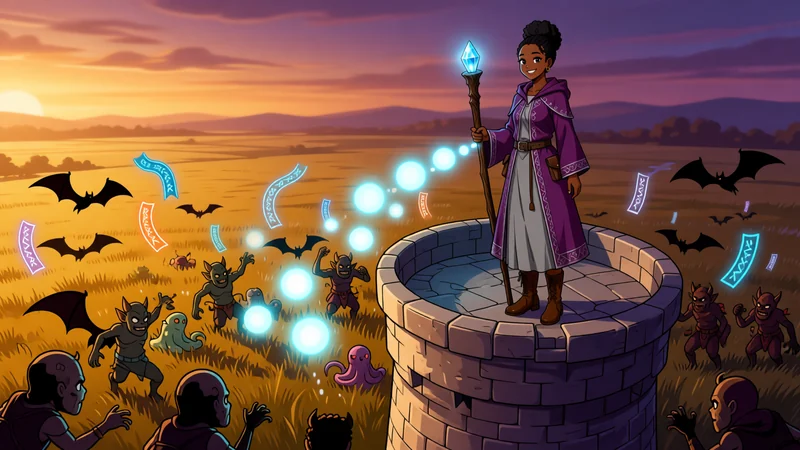
Start typing the word above any monster: the first letter picks your target (it lights up) and the letters you type turn gold. When the word is complete, your spell hits.
A wrong key does not erase what you typed, but it breaks your streak. Backspace lets go of the target if you want to switch to another monster.
Every monster has its own rule: bats are fast but carry short words, the armoured golem needs two words in a row, the slime splits into two small ones, the specter carries its word backwards (read it right to left, type it normally) and the conjurer stops far away and summons bats.
Your streak fills the energy bar. With enough energy, type a magic word to cast it: freeze stops every monster, gust sweeps the lane of the closest one and meteor hits them all. The magic words are always on screen.
Each chapter has six waves and a boss that carries a whole sentence: every word you type breaks one of its runes and pushes it back.
Typing test: one minute of common words to measure your words per minute (WPM) and accuracy, with records for each language. Practice: slow, harmless monsters with words for one keyboard row, or with the letters you miss the most.
Tips
- Look at the next monster while you finish the current word: reading ahead is the secret of fast typists.
- Accuracy beats speed: a long streak doubles your points and your energy.
- Keep a freeze for when a golem or a group gets close to the wall.
- Learning Spanish or English? Switch the word language in the settings and practise the other one. Spanish words can be typed with or without accents.
- WPM uses the standard formula: correct characters divided by five, per minute. Accuracy is correct keystrokes out of all keystrokes.
- On a phone the game works with the on-screen keyboard (hold the phone upright), but a physical keyboard is much better.
Controls
- Keyboard: just type. Backspace lets go of the target. Escape pauses. There are no shortcuts that get in the way of typing.
- Accents: with optional accents (on by default in Spanish), «cancion» counts as «canción» and ¿ ¡ are typed for you; ñ always counts.
- Phone or tablet without a keyboard: tap the typing bar to open the on-screen keyboard; the monsters stay above it.