
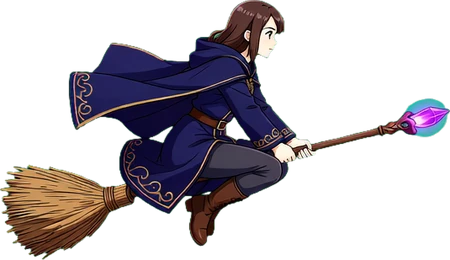
How to play
Move your wizard: on a phone, drag your finger anywhere on the screen and the broom follows the same movement (your finger never covers it). On a computer, use the arrow keys or WASD, or a gamepad.
You shoot automatically. Each wizard has their own magic: Elara fires a violet fan, Darian a fast amber burst, Nia a continuous light beam and Kai crimson sparks that chase enemies.
Only the small glowing dot on your wizard’s chest can be hit. Hold the precise button (or Shift) to fly slowly and see that dot clearly when the spells get tight.
Enemies with a golden glow always drop a power orb: four levels of power per zone. Blue-glowing ones drop a spell orb.
Your spell (the big button, X or Space) clears every spell on screen and hurts all enemies. You charge it by defeating enemies and grazing spells.
Grazing spells without touching them and going a long time without being hit raises your score multiplier, up to ×5.
Each zone ends with a giant boss in three phases. Aim at its glowing weak point: the rest of its body only takes a quarter of the damage.
Tips
- Stay on the left side of the screen: you see the spells coming from further away.
- Do not panic: there is always a gap. Move a little, early, rather than a lot at the last moment.
- Aimed shots follow you: drift slowly to one side and they will miss behind you.
- Keep a spell for the boss: it also hurts its weak point.
- If you run out of lives you continue from the last checkpoint (the start of the zone or the boss) with full lives.
Controls
- Touch: drag anywhere to fly (relative movement, adjustable sensitivity); big button for the spell and the other for precise mode, bottom right (bottom left in left-handed mode); pause at the top right.
- Keyboard: arrows or WASD to fly, Shift for precise mode, X or Space for the spell, P or Escape to pause. Mouse (optional, in settings): the broom follows the pointer.
- Gamepad: left stick or D-pad to fly, A for the spell, a shoulder button for precise mode, Start to pause.