How to play
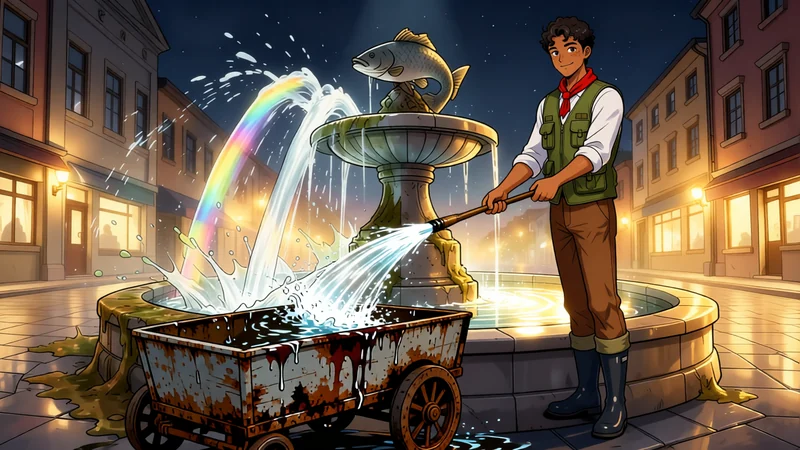
Press and drag on the object: the jet comes out where your finger or the mouse points and washes away the dirt under its fan. Holding still keeps cleaning the same spot; sweeping across the fan covers more ground.
Zoom in with two fingers, the mouse wheel or the + and − buttons, and drag with two fingers (or turn on “Move”) to reach every corner. The fan can be turned to stand upright or lie flat.
Every object is split into parts: wheels, roof, hull, wings… Each part has its own bar and, when it is clean, it finishes with a flash of light and gets its tick in the parts list. Clean every part to restore the object and get paid.
Each nozzle has its job: wide fans cover a lot of grime quickly, narrow ones and the turbo blast away hard limescale, and soap softens soot so the water can lift it. Buy nozzles and upgrade pressure and flow in the shop; every price is fixed and shown before you buy. There are no chests or draws.
Finishing an object unlocks the next one. When all six are restored, free mode brings any of them back with brand-new grime, and every day there is an object of the day, the same for everyone, worth double.
Tips
- Sweep across the fan, not along it: you clean a wide stripe in one go.
- Zoom in for small parts and edges; zoom out to sweep big flat areas.
- Soap first, then water: soot comes off four times faster.
- If you stop for a moment, the spots that are still dirty glow so you can find them.
Controls
- Touch: press and drag with one finger to spray; two fingers zoom and move the view. Mouse: left button sprays, wheel zooms, right button drags the view.
- Keyboard, on the courtyard: arrow keys aim, hold Space or Enter to spray, + and − zoom, 0 shows the whole object, R turns the fan, P opens the parts list and keys 1 to 6 choose the nozzle.
- Screen readers announce the nozzle, every finished part and the overall progress.